

Google Search Console is a free tool from Google that provides performance reports and details about which pages have been indexed by the search engine. We strongly recommend that all site owners create an account on Google Search Console and consult it regularly. The Page Indexing report is particularly important because pages that are not indexed cannot rank in Google.
One of the reasons you may see Google not indexing pages in the report is “Duplicate without user-selected canonical.” By clicking on this issue in the Page Indexing report, you can access a dedicated report that shows the number of pages with this error over the past 90 days and provides a list of up to 1000 examples.
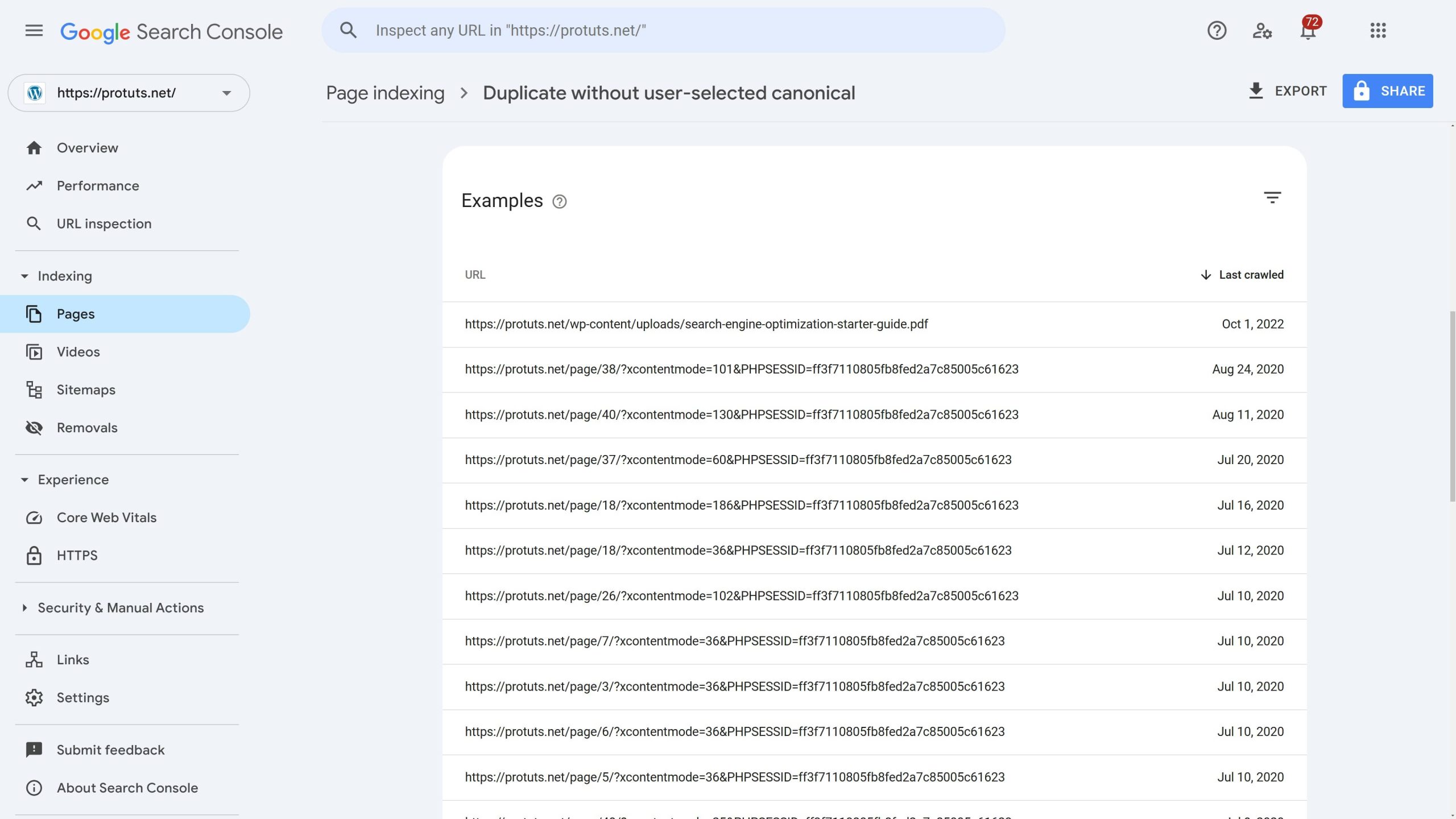
In our screenshot of the Google Search Console for protuts.net, we can see that there is an initial problem with the page https://protuts.net/wp-content/uploads/search-engine-optimization-starter-guide.pdf followed by a series of similar issues with URLs like https://protuts.net/page/40/?xcontentmode=39&PHPSESSID=ff3f7110805fb8fed2a7c85005c61623. By clicking on each line and then selecting INSPECT URL, you can get more details about the URL and why it is not being indexed.
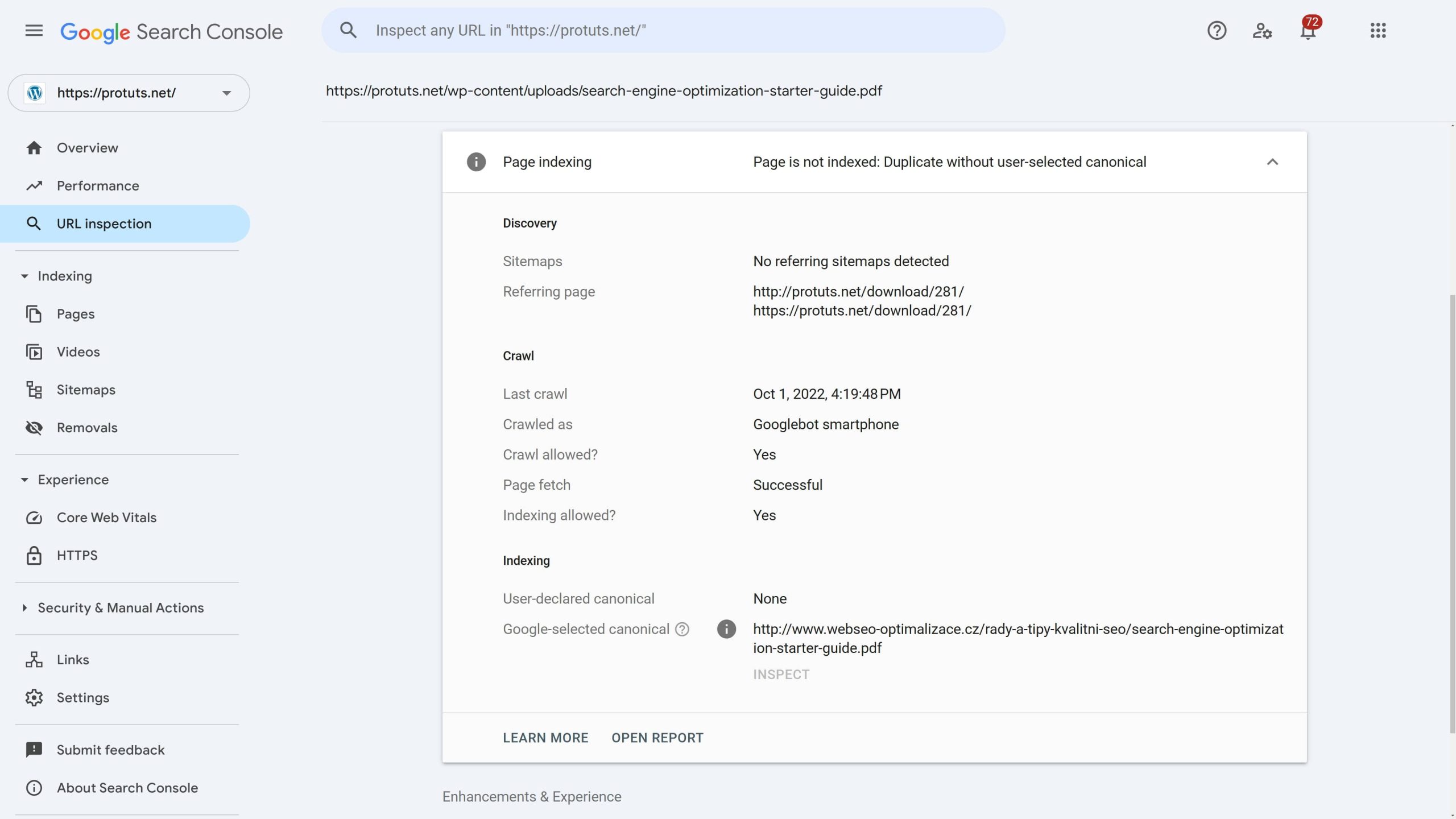
In the case of the search-engine-optimization-starter-guide.pdf file, we have an illustration of an interesting problem. This PDF is a copy of a document published by Google in 2008. It was shared by protuts.net, as well as many other websites. In the report, Google indicates that it considers the URL https://www.webseo-optimalizace.cz/rady-a-tipy-kvalitni-seo/search-engine-optimization-starter-guide.pdf (the same file, hosted on a Czech SEO site) as the canonical version of the document. This means the version on protuts.net is not indexed on Google and won’t show up for users searching for this historic document in Google.
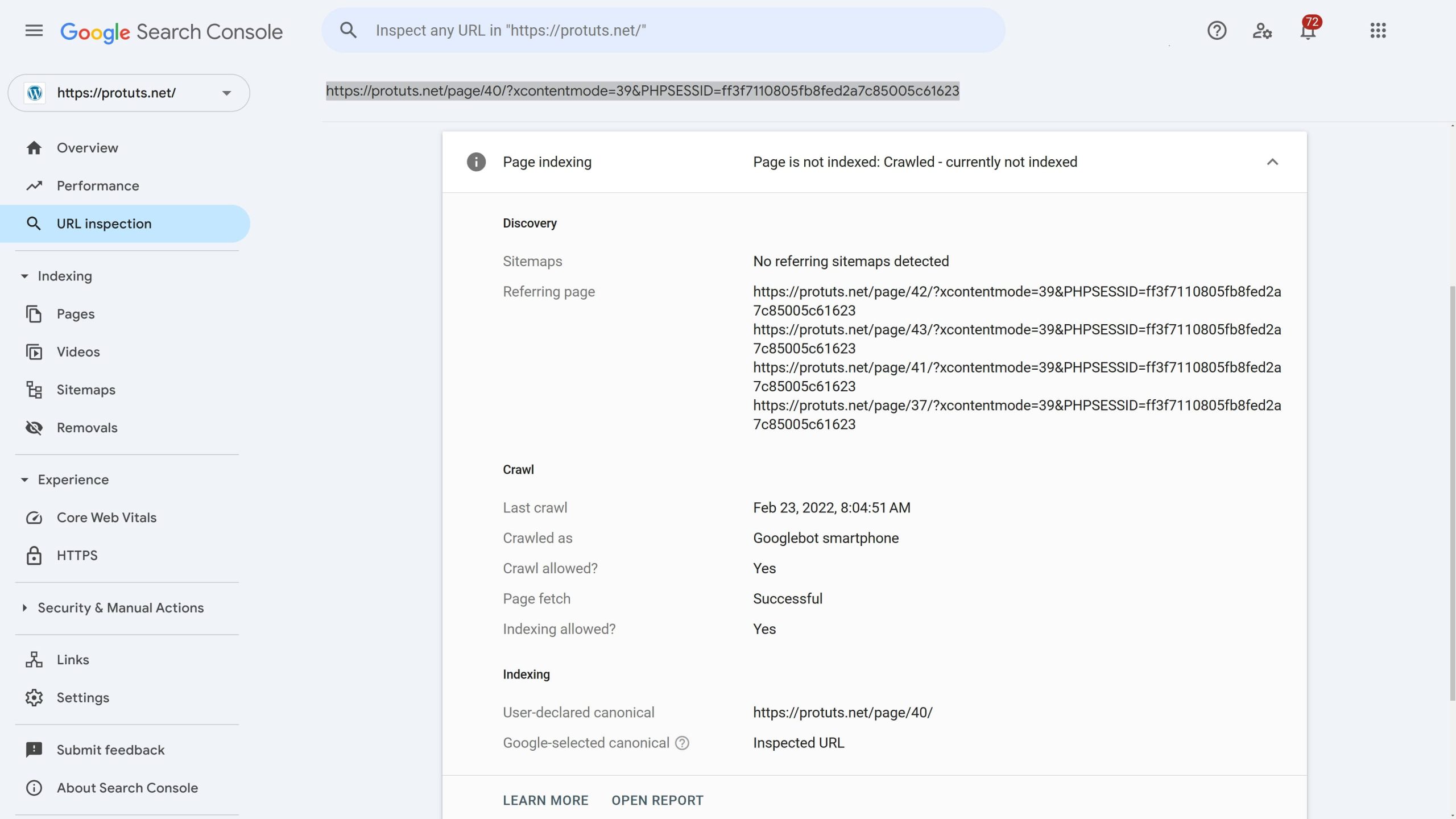
The URL https://protuts.net/page/40/?xcontentmode=39&PHPSESSID=ff3f7110805fb8fed2a7c85005c61623 illustrates a common problem. Parameters have been added to an existing URL (probably after a server configuration change), creating a new URL that Google has discovered. Google has identified that this page contains duplicate content (https://protuts.net/page/40/ and a few other pages contain the same content) and has decided not to index it.
The “without user-selected canonical” part of the issue name means that the page did not contain a canonical tag instructing Google on what to do if duplicate content was found, so Google had to choose a canonical page itself. Deduplicating pages is a big job for Google, and it prefers that we assist by adding canonical tags to every page we publish on our website.
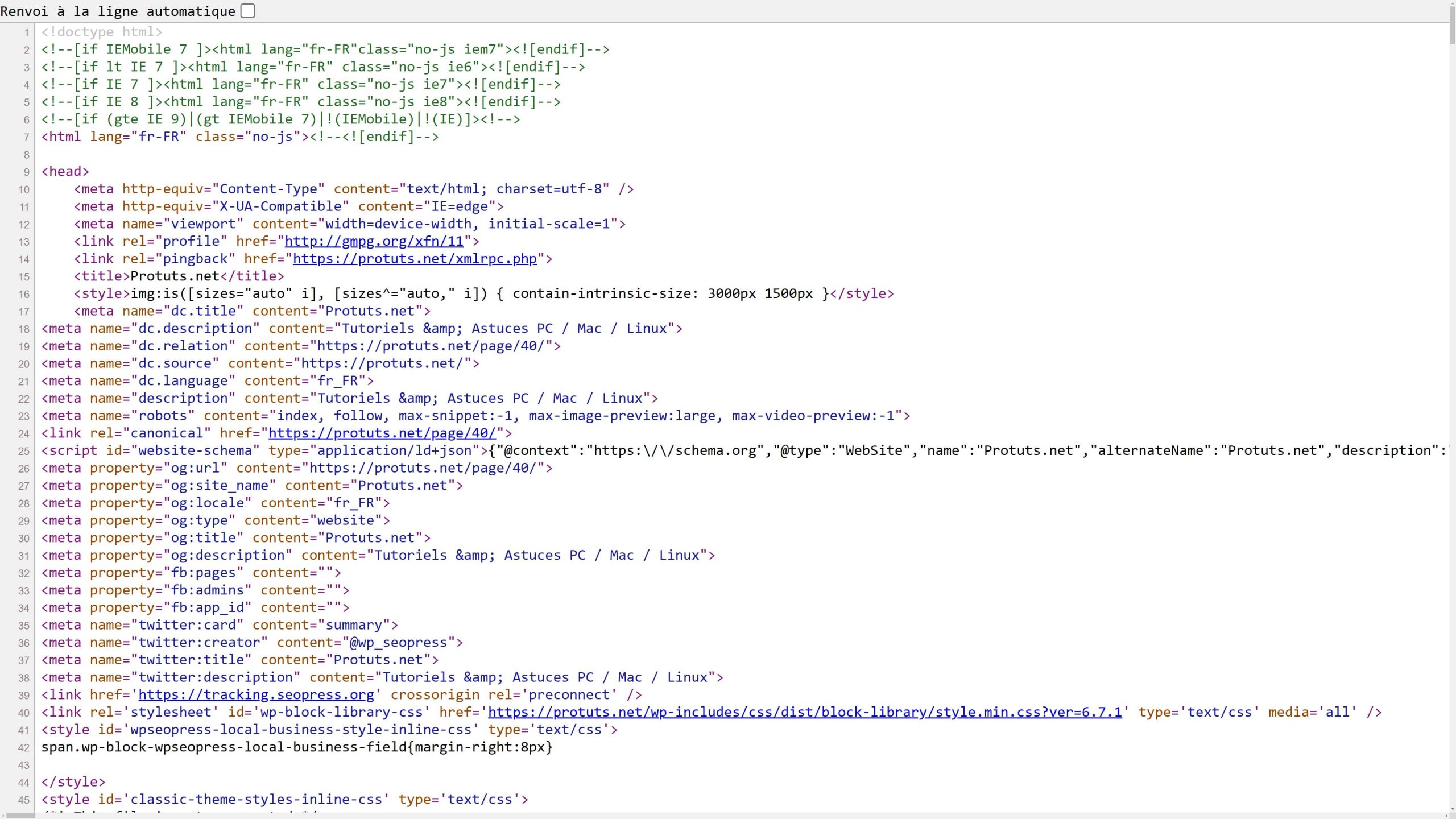
In this case, there actually is a canonical tag on line 24 of the HTML code shown below. This tag was added after Google crawled the site on February 22, 2022 (see Last crawl in the URL Inspection report above). We need to inform Google to revisit and check the URL again – fortunately, this is a feature of Google Search Console. Click on the VALIDATE FIX button in the Duplicated without user-selected canonical report to request a review of all the issues.
Correcting Duplicate without user-selected canonical on WordPress
SEOPress automatically handles canonical tags, by adding them to the source code of all posts, pages and custom post types. SEOPress users should not see many “Duplicate without user-selected canonical” errors in Google Search Console unless they have disabled the feature using a filter.
The SEO audit feature built into SEOPress also reports on the status of canonical URLs.
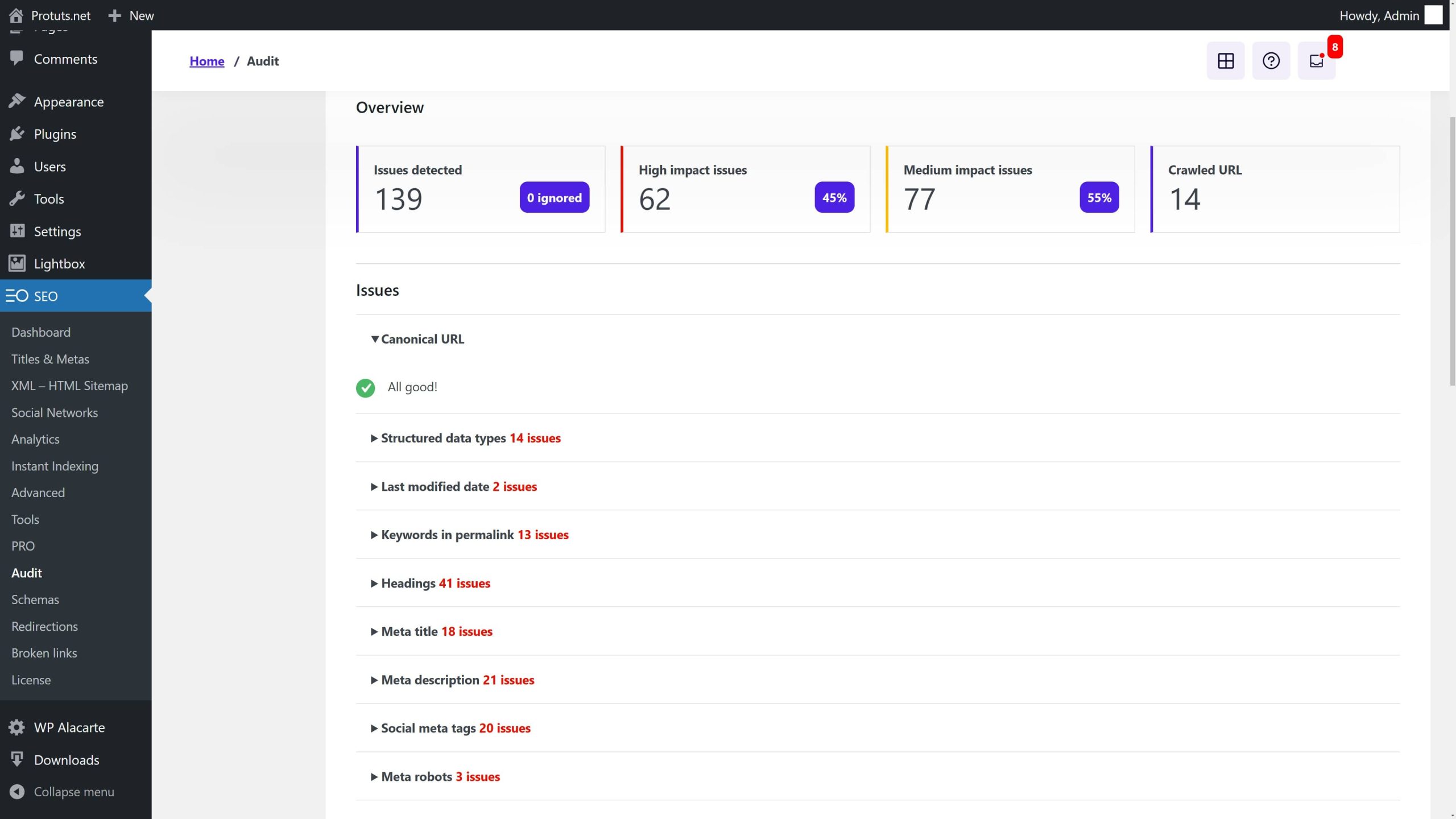
Default WordPress sites without an SEO plugin do not have canonical tags, but some themes may have code in the header.php file that adds them. If you are seeing lots of these errors and you are not a SEOPress user, get started with SEOPress here. Canonical tags are part of the features of the FREE plugin.
If you need to customize canonical URLs (for example to recognize an external source as the canonical version of a document) then you can use edit the canonical tag in the SEO metabox provided by SEOPress. See the video for a quick demo.


