What is Agent Readiness?
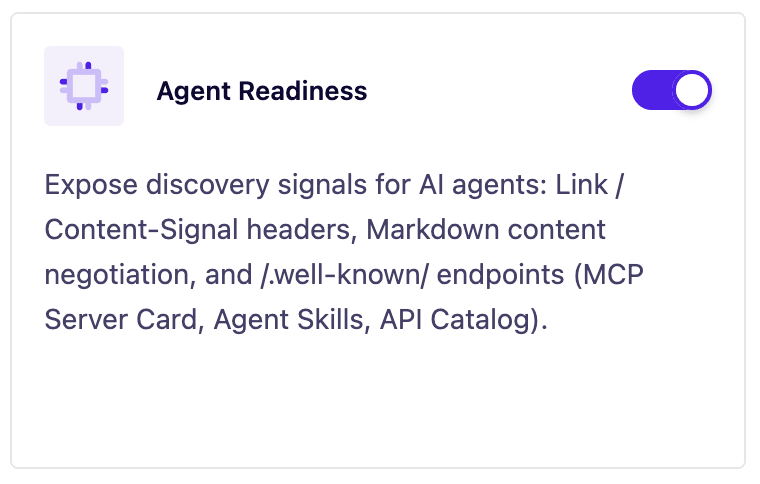
Agent Readiness is a new feature in SEOPress PRO 9.8 that prepares your WordPress site for the new generation of AI-driven traffic. Tools like ChatGPT, Claude, Perplexity, and Google AI Overviews increasingly visit websites on behalf of real users who asked them a question. Agent Readiness makes sure those agents can find, understand, and cite your content without forcing you to configure anything.
Toggle it on. That’s it.
Why this matters
Traditional SEO assumes a human will land on your page, scroll past the menu, dismiss a popup, and read. AI agents don’t do that. They:
- Crawl your site programmatically, often without rendering JavaScript or CSS.
- Need a clean, structured signal of what your site offers.
- Distinguish between citation (using your content to answer a question, with attribution) and training (ingesting your content into a model’s weights).
- Look for machine-readable entry points like
llms.txt, sitemaps, and robots directives.
Agent Readiness handles all of this from a single toggle on the SEOPress dashboard.
What the feature does
When enabled, Agent Readiness automates five things:
1. Discovery & accessibility
On articles, pages and the homepage, SEOPress adds a Link response header advertising a Markdown version of the same URL (rel="alternate"; type="text/markdown"). When enabled, it also links your XML sitemap and llms.txt file, so AI crawlers can find your content and its machine-readable alternates from the URLs they already visit.
2. Default content rules
Establishes a sensible baseline:
- Your content can be shown in search results.
- Your content can be used in AI answers (with citation).
- Your content cannot be used to train an AI model.
These defaults match what most publishers want. You can change them later through filters.
3. Markdown rendering on demand
Any article, page or the homepage can be served as clean Markdown from the same URL. Agents request it with an Accept: text/markdown header or by adding ?format=md. Password-protected content is excluded.
By default: we support post and page post types. To extend this to custom post types, please use this filter.
4. Agent discovery files
SEOPress serves standard /.well-known/ endpoints so agents can discover what your site offers: mcp.json (MCP server card), agent-card.json (A2A / Agent2Agent protocol), agent-skills/index.json (available skills) and api-catalog (pointing to the WordPress REST API). It also registers two WebMCP tools on the frontend — site search and “fetch page as Markdown” — for agent-aware browsers.
5. Manual AI bot control in robots.txt
Alongside the automatic Content-Signal directive (see point 2), you can technically block specific AI crawlers from SEO > PRO > robots.txt.
The “AI & Chat Bots” section offers one-click buttons for common crawlers (GPTBot, CCBot, Google-Extended, ClaudeBot, Claude-User, Claude-SearchBot, DeepSeek, PetalBot…). Each button adds a User-agent + Disallow: / rule to your virtual robots.txt.
These rules are optional and off by default, you choose exactly which bots to block. Content-Signal remains the recommended way to state your usage preferences (search / citation / training) without blocking access.
How to enable it
- Go to SEOPress Dashboard.
- Find the Agent Readiness toggle.
- Switch it on.
There is no required configuration. The defaults work for the vast majority of WordPress sites.
Multilingual support
SEOPress 9.8 also adds multilingual llms.txt generation, compatible with:
- WPML
- Polylang
- TranslatePress
If your site runs in multiple languages, each language gets its own properly-scoped llms.txt, so agents see the right content for the right audience.
For developers: customizing behavior
Agent Readiness exposes filters so you can adjust:
- Which bots are allowed or blocked.
- What appears in the generated
llms.txt. - Whether plain-text rendering applies to specific post types or templates.
- The metadata exposed in business-card files.
If your site has unusual requirements, gated content, member-only sections, regional restrictions, you can override the defaults without disabling the feature.
Recommended next steps after enabling
- Verify your
llms.txt, visithttps://example.com/llms.txtand confirm it lists the content you want agents to see. - Check robots.txt, confirm the AI bot rules match your policy.
- Test plain-text mode, request a page with the appropriate header or query parameter and confirm the stripped output looks clean.
- Monitor referrals, watch for traffic and citations from ChatGPT, Perplexity, Claude, and Google AI Overviews in your analytics.
- Test your site with the dedicated tool built by Cloudflare.
FAQ
Will this hurt my regular SEO? No. Agent Readiness runs alongside your existing SEO setup. Human visitors continue to see your normal site.
Will agents still cite me if I block training? Yes. Citation bots and training bots are different categories. The defaults allow citation while blocking training, exactly what most publishers want.
Do I need to install anything else? No. Agent Readiness is built into SEOPress 9.8. Update the plugin and the toggle is there.
What about caching plugins? Plain-text responses respect the same cache layers as your normal pages. If you use aggressive caching, clear it once after enabling.
In short
Agent Readiness turns “ready for AI agents” from a multi-week technical project into a single toggle. It’s the fastest way to make sure your WordPress content shows up, and shows up correctly, in the answers AI tools give to real people.
Update to SEOPress PRO 9.8, flip the switch, and you’re done.