Configure your llms.txt with WordPress
Our llms.txt file is virtual (like the default WordPress robots.txt). It means it’s not physically present on your server. It’s generated via URL rewriting.
To do that, go to SEO, PRO, llms.txt tab.
Make sure the feature is globally enabled using the iOS toggle.
Then, go to the textarea to edit the content of the llms.txt file.
Use placeholders to dynamically generate content by clicking the small buttons below the textarea like Site name, latest posts, search URL and so on.
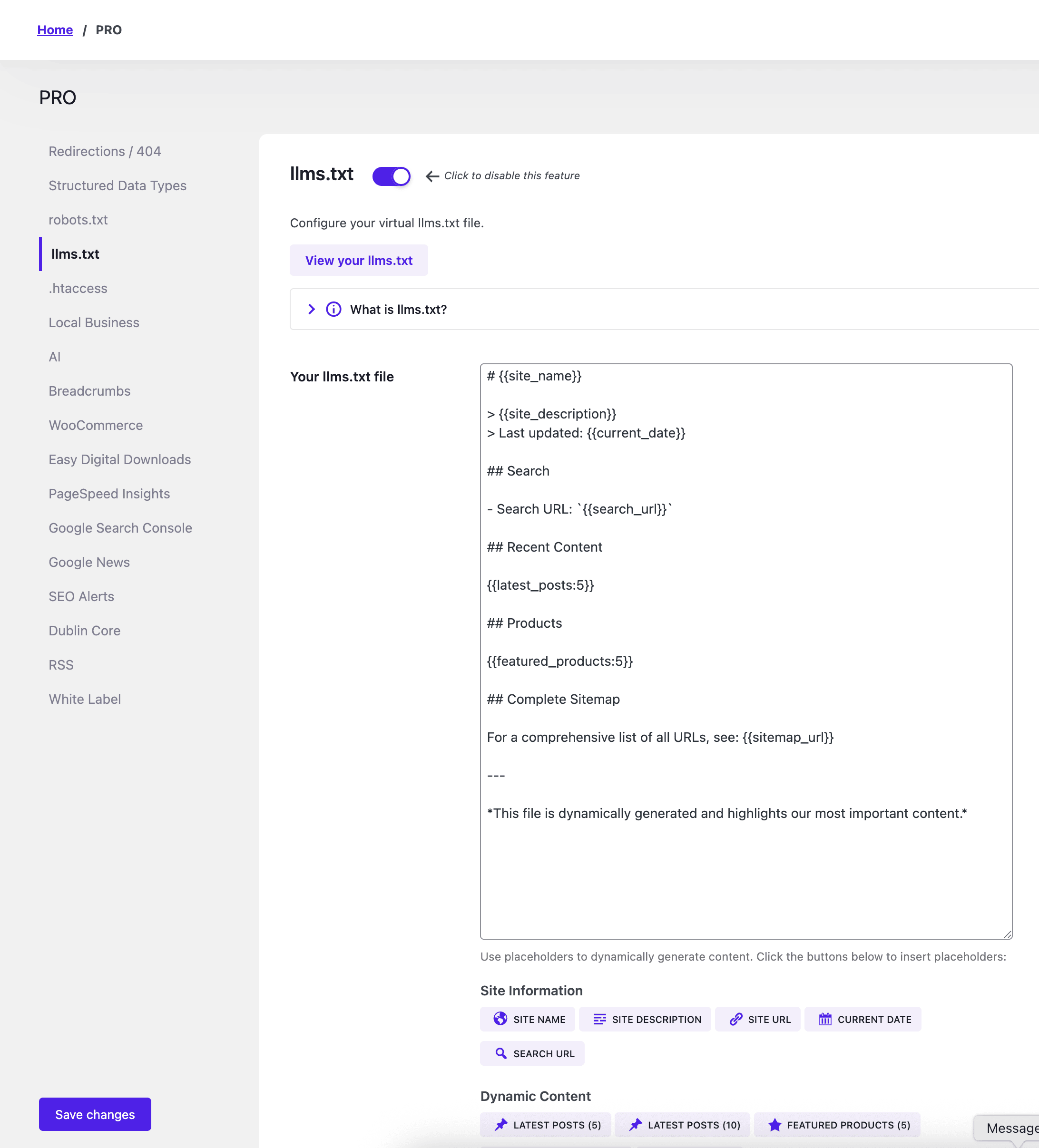
Once you’re satisfied with the modifications, click Save changes button.
To view your file, go to https://example.com/llms.txt or click View your llms.txt file button.
If you get a 404 error, go to Settings, Permalinks and click Save changes to flush the permalinks.
Multisite setup?
Go to your network admin, SEO, llms.txt tab to edit it.