What Is Search Engine Verification?
Search engine verification (also called site verification) proves to search engines and platforms that you are the legitimate owner of your website. Once verified, you unlock access to powerful webmaster tools such as Google Search Console or Bing Webmaster Tools which provide essential data about your site’s performance, indexing status, crawl errors, and more.
SEOPress makes this process simple by centralizing all verification meta tags in one place, directly from your WordPress dashboard.
Where to Find This Setting in SEOPress
- Log in to your WordPress admin.
- Go to SEO, Advanced.
- Scroll down to the Search engines validation section.
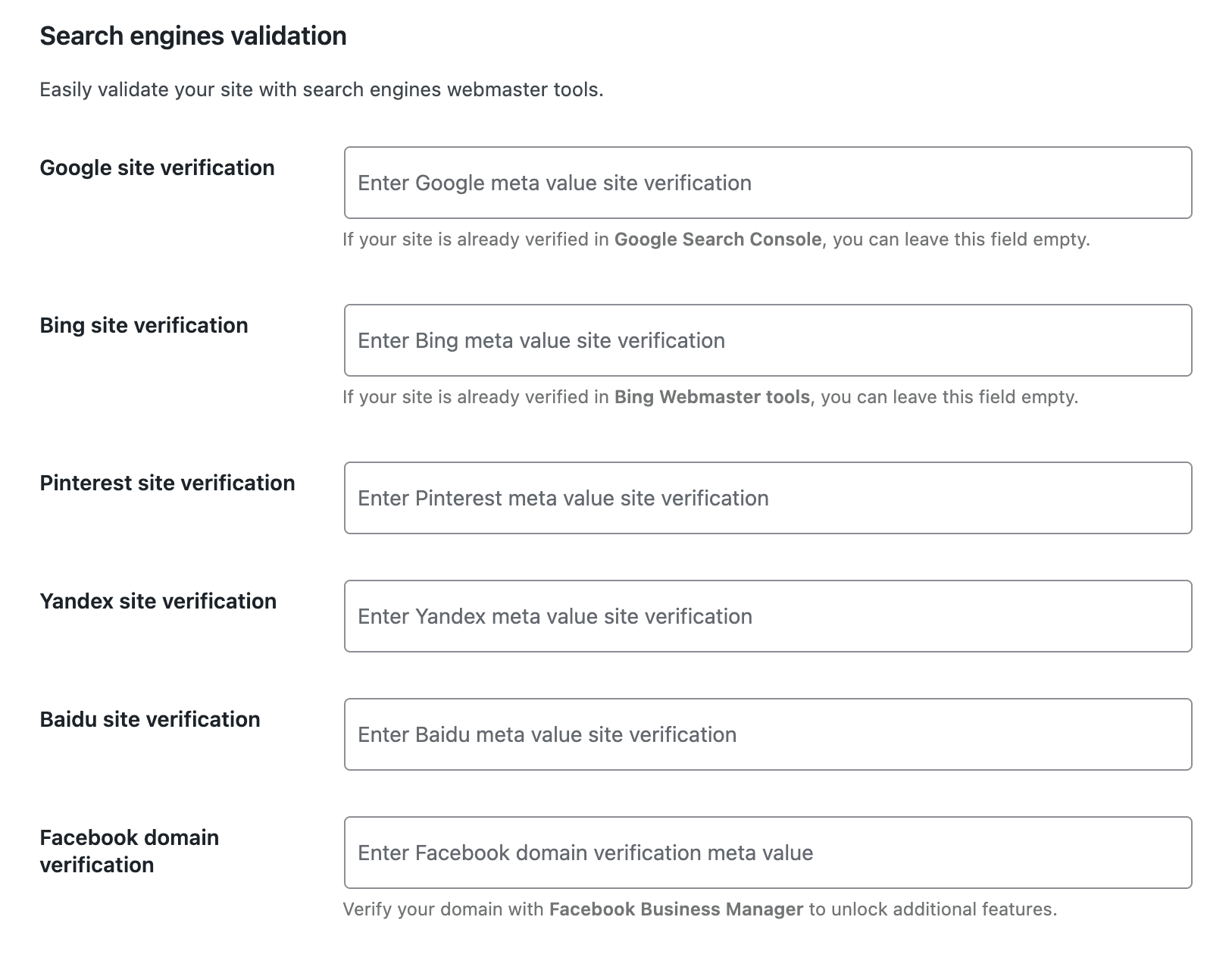
Available Verification Fields
SEOPress supports seven major platforms:
Google Site Verification
Connect your site to Google Search Console to monitor your Google search performance, detect crawl issues, and submit sitemaps.
- If your site is already verified in Google Search Console (e.g., via DNS record or HTML file upload), you can leave this field empty.
- Otherwise, paste the meta value provided by Google (the content value of the
<meta name="google-site-verification">tag).
How to get it: In Google Search Console, Add property, Select HTML tag method, Copy the content="..." value.
Bing Site Verification
Connect your site to Bing Webmaster Tools to monitor your Bing search performance.
Same logic as Google: if already verified via another method, leave empty.
Paste the meta value from Bing (the content attribute of the verification meta tag).
How to get it: In Bing Webmaster Tools, Add your site, Choose HTML Meta Tag, Copy the content value.
Pinterest Site Verification
Verify your website with Pinterest to enable rich pins and access analytics for your content.
Paste the Pinterest meta value in this field.
How to get it: In Pinterest, Settings, Claim, Claim your website, Copy the content value from the meta tag provided.
Yandex Site Verification
Yandex is the dominant search engine in Russia and Eastern Europe. Verifying your site unlocks access to Yandex Webmaster Tools.
Paste your Yandex verification meta value here.
Baidu Site Verification
Baidu is the leading search engine in China. Verification is essential if your audience includes Chinese-speaking users.
Paste the Baidu verification code in this field.
Facebook Domain Verification
Verifying your domain with Meta Business Manager unlocks additional features for your ads and pages, including link ownership and better ad targeting.
Paste the meta value provided by Facebook here.
How to get it: In Meta Business Manager, Brand Safety, Domains, Add domain, Copy the meta tag content value.
Seznam Site Verification
Seznam is the leader search engine in Czech. Register your site here and follow the instructions to validate your site.
Step-by-Step: How to Verify with Google Search Console
- Go to Google Search Console website.
- Click Add property and enter your website URL.
- Choose the HTML tag verification method.
- Google provides a tag like:
<meta name="google-site-verification" content="ABC123xyz" /> - Copy only the value inside
content="..."→ here:ABC123xyz - Paste it into the Google site verification field in SEOPress.
- Click Save.
- Back in Google Search Console, click “Verify”.
- Your site is now verified!
Pro Tips
- Don’t duplicate verification: If your site is already verified via DNS or file upload, you don’t need to add the meta tag in SEOPress, it would be redundant.
- Keep your meta values safe: Don’t delete verification meta tags once active; removing them can cause you to lose access to your webmaster tools.
- Multiple search engines: You can verify with all six platforms simultaneously, there’s no conflict.
Frequently Asked Questions
Where does SEOPress insert the verification code?
SEOPress automatically adds the verification meta tag in the <head> section of every page on your site.
Do I need to verify all search engines?
No. Only verify the platforms relevant to your audience and marketing strategy. Google is usually the priority.
I can’t find the meta value, where is it?
In most webmaster tools, look for a verification method labeled “HTML tag” or “Meta tag.” The value to copy is the string inside content="...".