

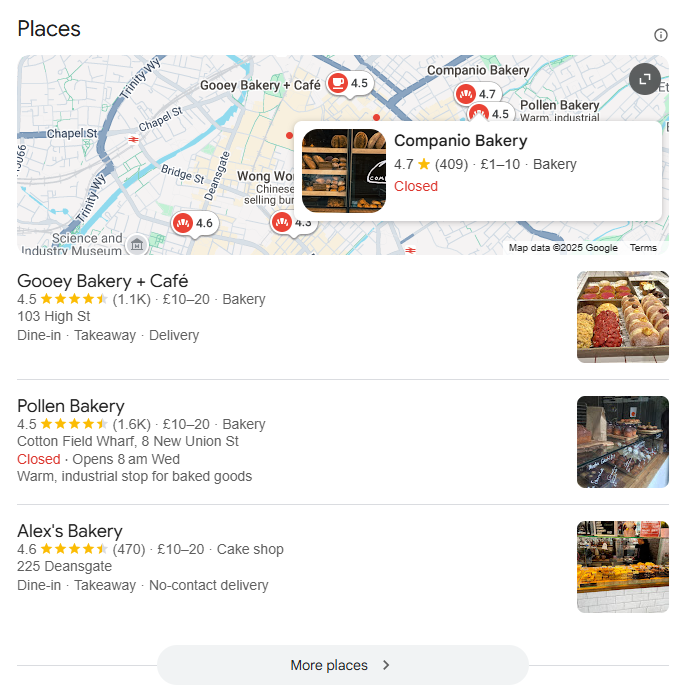
Showing up in Google’s local results, when someone searches for “plumber Chicago” or “bakery near me”, often comes down to two things: solid LocalBusiness schema and a clean setup. You still need the right WordPress local SEO plugin to put them in place.
Here, we compare Yoast, AIOSEO, Rank Math, SEOPress, and The SEO Framework on schema, multi-location management, how your business information is displayed, and price.
The core task: Implementing LocalBusiness schema without conflicts
Schema markup describes your business to search engines in a structured format. Correct schema can bring your hours, address, and reviews into rich results. Duplicate or conflicting JSON-LD, on the other hand, can hurt your visibility in local results.
Most major SEO plugins keep full LocalBusiness schema for their premium versions. Rank Math is the exception: its free version already includes Local Business schema for a single location. Multiple locations, service areas, or finer settings require a paid plan. Here is how each plugin handles it.
Scenario 1: Implementing schema for a single location
For a single-location business, setup varies considerably from one plugin to another:
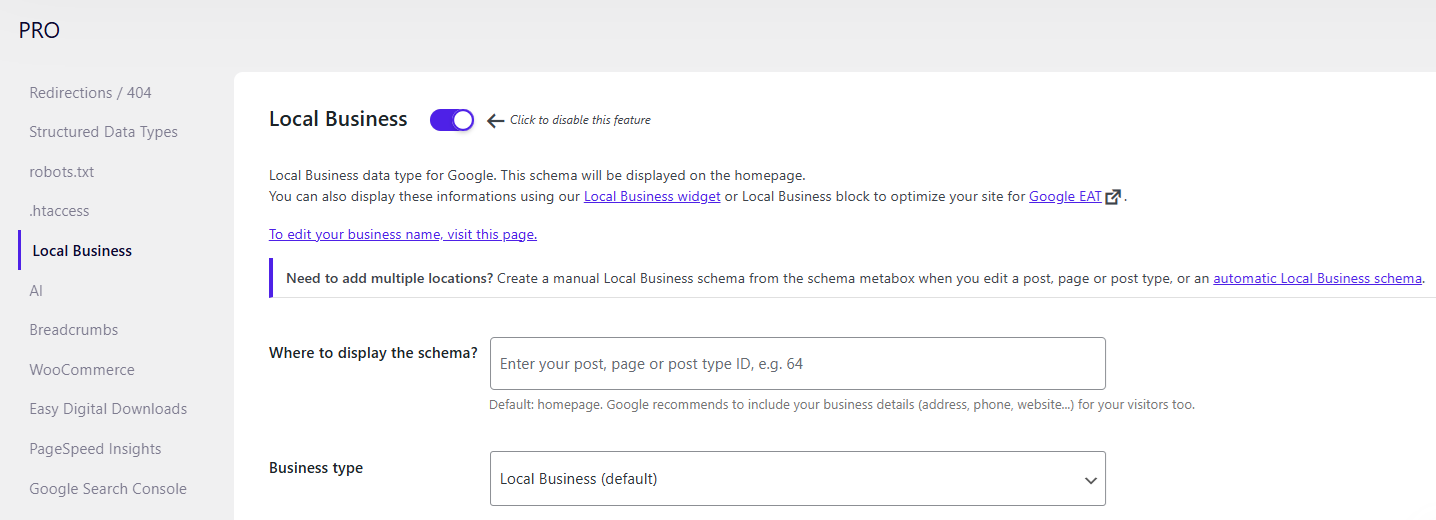
- SEOPress PRO has dedicated LocalBusiness fields directly in its interface, with granular control over every schema property.
- With Yoast, the Local SEO add-on is included in Yoast SEO Premium, but it is installed and configured separately.
- AIOSEO and Rank Math PRO include local schema in their plans (AIOSEO from the Plus plan), alongside dozens of other features you may not need.
- The SEO Framework needs its paid Local extension for any location-specific markup.
SEOPress keeps these settings on a dedicated screen, which makes errors less likely.
Scenario 2: The multi-location challenge
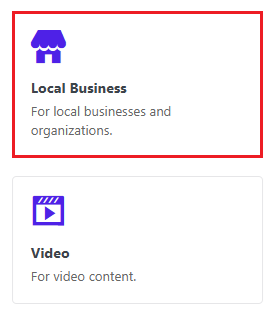
Multi-location schema mainly concerns franchises and agencies. SEOPress PRO handles it with one page per location, each with its own schema. You can also apply an automatic schema to a specific post type, such as “locations”.
Rank Math and AIOSEO offer similar approaches, with more automation. Whatever the tool, avoid thin content: pages with little original value, duplicated across locations instead of featuring unique, tailored content.
Yoast’s multi-location system works, but it takes more steps. You activate the Local SEO add-on, then set the “multiple locations” option to Yes. A new Locations post type appears, where each location is managed separately. The SEO Framework provides the cleanest implementation for developers comfortable with code, but without the interface convenience that others offer.
Avoiding duplicate schema
This is a common mistake that can harm SEO without anyone noticing. Running two plugins that both output JSON-LD creates competing markup that confuses search engines. The best plugin handles schema comprehensively within its own system. SEOPress PRO centralizes schema management, whether you start from scratch or add it to an existing setup. Its content analysis and site audit also flag duplicate schemas, so you can spot and fix them.
The visibility task: Displaying NAP, hours, and maps
Schema tells search engines your business details, but visitors need to see that same information on your pages: your NAP (name, address, phone number), opening hours, and map. Mismatched data, such as showing different hours in your footer than in your schema, creates trust issues and ranking problems.
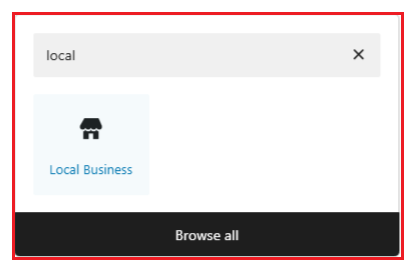
SEOPress PRO has a dedicated Local Business widget and block that automatically pull data from your schema settings. Update your hours once in the schema, and they are updated everywhere.
Competitors also offer display blocks fed by their local SEO settings: address, opening hours, and map blocks in Yoast, a Local Business block in Rank Math, and blocks, widgets, and shortcodes in AIOSEO. They often offer more display options, but with more settings to manage.
Whatever the plugin, the principle is the same: enter your information in one place, so you never forget to update visible information after changing schema data. For agencies managing many client sites, this also saves time.
The decision framework: Choosing your local SEO plugin
For a single location, a free plugin such as Rank Math may be enough. Beyond that, complete local SEO is only available in paid versions. Here are their prices (first annual subscription, before tax):
- SEOPress PRO: $49/year for 1 site ($59 for 5 sites, $149 for unlimited sites), same price at renewal.
- Rank Math PRO: €95.88 for the first year, then €107.88/year (unlimited personal sites; client sites from the Business plan). Rank Math shows euro prices to European visitors.
- AIOSEO Plus: $99.50 for the first year, then $199/year (3 sites; the first plan that includes local SEO).
- Yoast SEO Premium (Local SEO included): $118.80/year (1 site).
- The SEO Framework Pro: $84/year (2 sites, all premium extensions).
The table below sets these prices against the other criteria:
| Plugin | Local SEO cost (first year, before tax)* | Schema control | Multi-location | Interface |
|---|---|---|---|---|
| SEOPress PRO | $49/year | Excellent | Clean implementation | Lightweight and focused |
| Yoast SEO Premium (Local SEO included) | $118.80/year | Good | Solid but complex | Separate module to configure |
| Rank Math PRO | €95.88/year | Good | Feature-rich | Many features in one dashboard |
| AIOSEO Plus | $99.50/year ($199 after) | Good | Automated | Many features in one dashboard |
| The SEO Framework Pro | $84/year | Developer-focused | Manual setup | Minimalist |
* Prices checked on the publishers’ websites in October 2026, before tax. They may vary with promotions and renewal rates.
For the best balance of all-in-one features and performance
SEOPress PRO is a good fit if you want an all-in-one suite that doesn’t slow down your site or show ads in the interface. Its features are comparable to its competitors’, in a lightweight plugin.
For maximum integrated features
Rank Math PRO and AIOSEO fit here. They’re solid choices if you want every possible feature in one dashboard, at the cost of a busier interface and a possible impact on performance.
If you’re already committed to the Yoast ecosystem
For Yoast Premium users, the Local SEO add-on is now included in the subscription. It handles multi-location management well and integrates with the main plugin, but takes more steps to set up. Staying with Yoast mainly makes sense if you prefer not to switch ecosystems.
For an ultra-minimalist and modular approach
The SEO Framework takes a different approach: a lightweight, performance-first foundation where you or a developer can add only what you need via paid extensions. It suits technical users who are comfortable with code and prefer a minimal setup.
Switching plugins without losing rankings
Changing SEO plugins often raises the fear of dropping in Google. To avoid that, the priority is to preserve your metadata. SEOPress includes built-in migration tools that transfer your existing SEO data from Yoast, Rank Math, AIOSEO, The SEO Framework, and many others. Install your new plugin, run the importer, then deactivate (don’t delete yet) your old plugin. Check that meta titles and descriptions transferred correctly before fully removing the previous solution.
Once your setup is in place, test your location page with Google’s Rich Results Test. For the next steps (checking Search Console, keeping your information consistent across the site, and visibility in AI search engines), follow our complete guide to WordPress local SEO.
In short, if you need local SEO for one or several locations without adding another plugin, SEOPress PRO covers schema, multi-location management, and display widgets that use the same data as your schema. Get started with SEOPress PRO.


