
When people search on Google, a huge chunk of them are looking for nearby businesses just like yours. The only hurdle is making sure you show up first. The good news is you can handle local SEO yourself. The fear that you’ll spend months tinkering with confusing tactics only to crash your site is totally overblown, but real success rests on three simple pillars:
- Verified Google Business Profile and NAP consistency – your online shopfront.
- Smart site structure – helps search engines grasp what you do and where.
- Technical foundations – keeps your site fast, lean, and crawl-friendly.
Get these right, and you’ll boost traffic, earn local trust, and rely less on pricey ads.
Even better? You won’t have to touch a single line of code to pull it off. And that matters: with 46% of all Google searches having local intent, that’s nearly half of all users actively hunting for what you offer.
Ready to take your rightful place in the local pack? Let’s start by nailing what we’re actually aiming for.
What is the Google Local Pack?
The Google Local Pack (also called the Map Pack or 3-Pack) is that prime real estate box featuring a map and three business listings that appears for location-based searches. When someone searches “bakery near me” or “dentist Chicago,” this is what dominates the results.
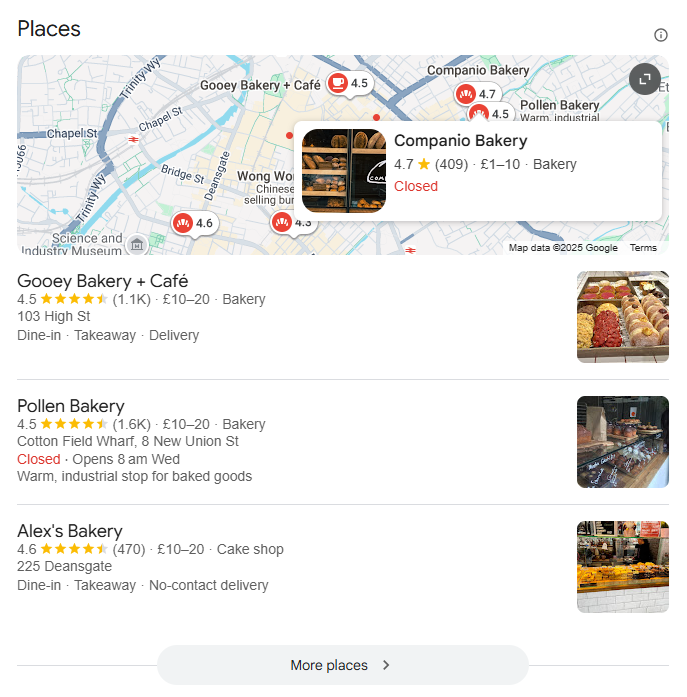
This information pulls directly from Google Maps and Google Business Profile data, creating an instant snapshot of your business. More than just visibility, it’s a conversion machine because users can:
- Call your business with one tap.
- Get driving directions instantly.
- Read reviews and see your hours.
- Book appointments (if enabled).
For local businesses, appearing in the Local Pack means the difference between a flood of new customers and digital invisibility. It’s your key to capturing those ready-to-buy searchers at the exact moment they need you.
So, here’s how you can build local search visibility.
Pillar 1: Get your Google Business Profile right
Think of your Google Business Profile (GBP) as your digital storefront – it’s non-negotiable for local visibility. Without a verified, optimized GBP, even the best website won’t appear in local results. Here’s your step-by-step roadmap to creating a great online profile:
Claim and verify your listing
Start by searching your business name on Google. See that “Own this business?” link on the knowledge panel? Click it. If no listing exists yet, visit business.google.com to create one. Verification typically happens through:
- Postcard with PIN code (most common, takes 5-14 days).
- Phone verification (if eligible).
- Email or instant verification (for select businesses).
Complete your profile
Google rewards completeness. Every empty field is a missed opportunity. Fill out:
- Business description (750 characters max – use them all).
- Services with detailed descriptions and prices.
- Attributes (wheelchair accessible, free Wi-Fi, outdoor seating).
- Photos – at least 10 high-quality images, including storefront, interior, products, and team.
Choose categories strategically
Your primary category carries the most weight, so choose the most specific one that accurately describes your main service. Then add secondary categories for additional services. A bakery that also serves coffee might use “Bakery” as primary and “Coffee shop” as secondary.
Set your service area
If you travel to customers (like plumbers or consultants), define your service area by radius, region, or city names. This tells Google exactly where you’re willing to work, improving your chances of showing up for “near me” searches in those areas.
Master your NAP
NAP stands for Name, Address, and Phone Number, i.e., the trinity of local SEO. Google uses NAP consistency across the web to verify your business’s legitimacy. Even tiny variations can be deadly to rankings.
Here’s your simple audit workflow:
- Make GBP your single source of truth: Whatever’s listed here should match everywhere else exactly.
- Audit major directories: Check Yelp, Apple Maps, Facebook, and industry-specific directories.
- Fix every inconsistency: “Street” vs “St.” matters. “Suite 200” vs “#200” matters. Everything must match perfectly.
Pillar 2: Build a WordPress site structure that search engines understand
A clear site structure tells search engines exactly what you do and where you do it. You’re building a roadmap that both users and Google can follow effortlessly.
Let’s use “Bloom & Petal,” a florist business, to illustrate the ideal structure:
Single location setup:
Your homepage becomes your primary location page, featuring:
- Full NAP information, prominently displayed.
- Service overview with links to detailed service pages.
- Local content and area-specific keywords.
Multiple location setup:
Create a hub-and-spoke model:
- Location pages:
/locations/oxford, /locations/reading, /locations/london - Service pages:
/services/wedding-flowers, /services/corporate-events, /services/funeral-arrangements
Critical linking pattern:
- Each service page links to all locations offering that service.
- Each location page links to all services available at that location.
- Both link back to relevant category pages.
For example, your wedding flowers page would include: “Available at our Oxford, Reading, and London locations,” with links to each. Your Oxford location page would showcase: “Wedding flowers, corporate events, and sympathy arrangements,” linking to those services.
Pillar 3: Create location pages that rank and convert
Google flags templated, city-swapped content as low-quality spam. Simply replacing “Portland” with “Seattle” across identical pages won’t cut it. You should aim for at least 70% unique content per location to rank.
Your location page uniqueness checklist
Transform generic pages into high-performing local assets with these elements:
- Local service variations and specials: “Our Oxford location offers same-day wedding bouquet delivery within the city center”.
- Team and storefront photos: Real images of your Oxford staff and shop, not stock photos.
- Landmark-based directions: “Located two blocks north of Carfax Tower, across from the Covered Market”.
- Location-specific FAQs: “Do you deliver to Oxford University colleges?” “What are your Christmas Market hours?”.
- Genuine local testimonials: Reviews mentioning specific Oxford neighborhoods or events.
Is creating many city pages bad for SEO? Only if they’re thin, duplicate content. Each location page must offer genuine value to local searchers.
While you focus on crafting this unique content, SEOPress PRO handles the technical heavy lifting that makes local SEO work; structured data, metadata optimization, and schema markup work quietly in the background.
Add your local business schema the easy way
LocalBusiness schema tells search engines exactly who you are and where you’re located. Let’s implement it in two parts:
Part 1: for humans (the visible block)
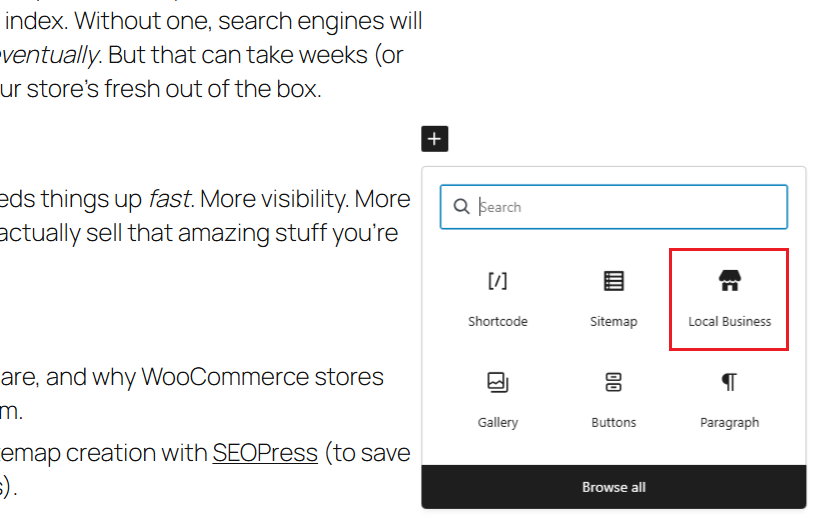
Your visitors need to see your NAP and hours prominently displayed. The SEOPress Local Business block makes this simple:
- Drag the block to your footer or sidebar using the Full Site Editing.
- It automatically pulls your business information.
- Updates everywhere when you change details once.
Part 2: for search engines (the schema code)
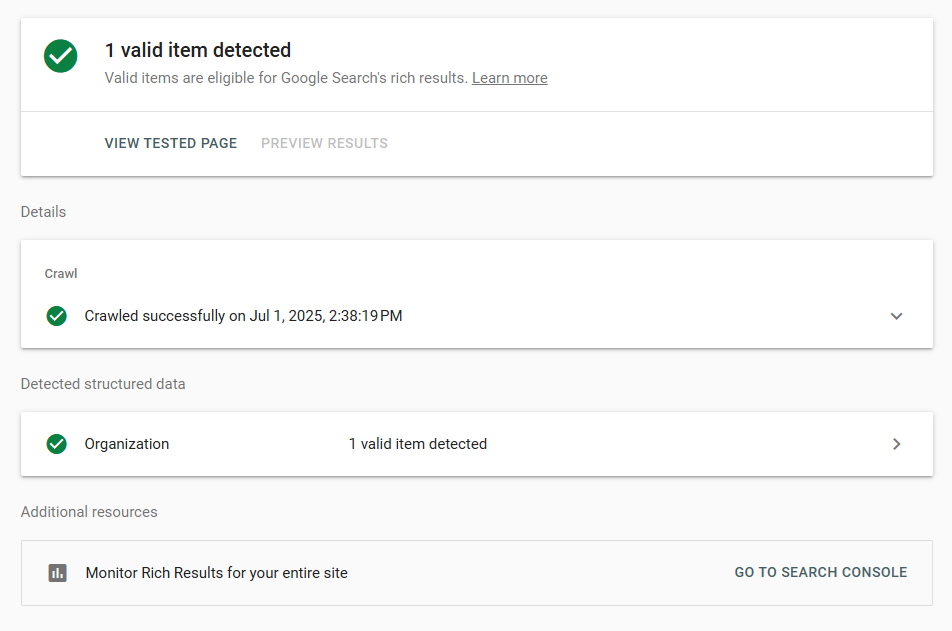
Now, let’s set up structured data that Google reads but visitors don’t see:
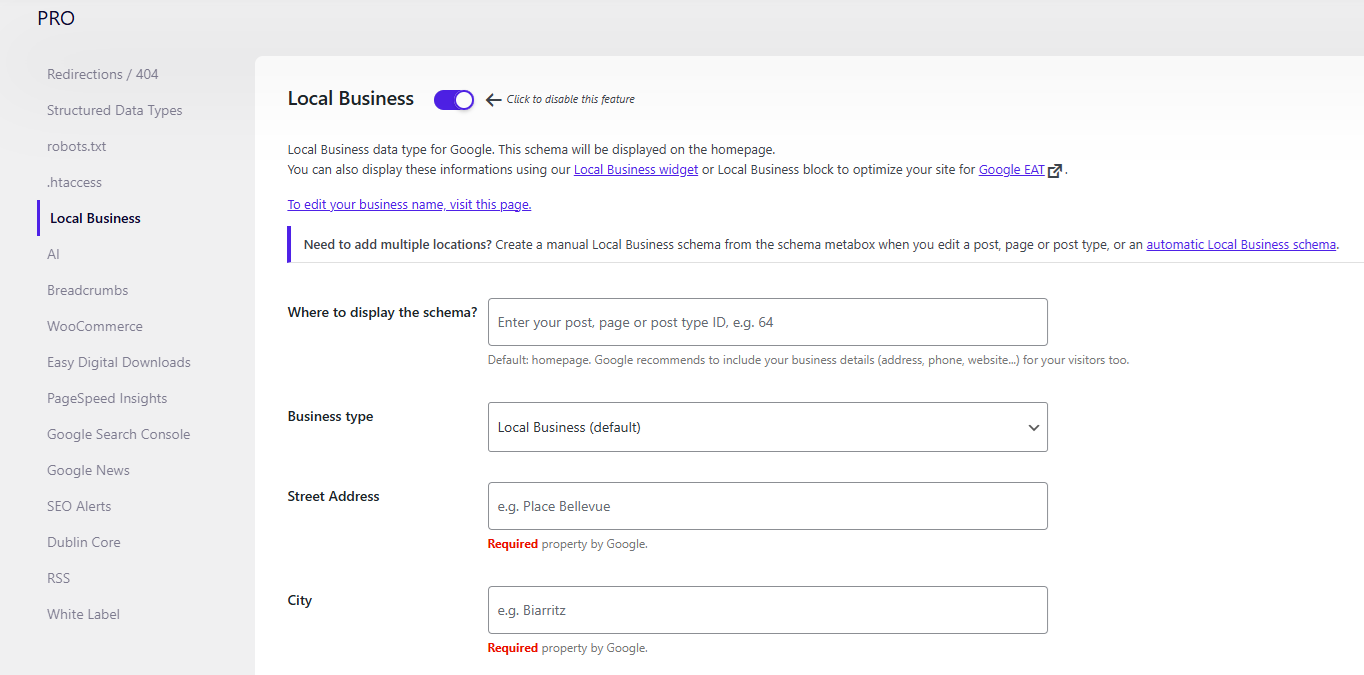
- Navigate to SEO > PRO > Local Business in your WordPress dashboard.
- Fill in your business details – the interface guides you through each field.
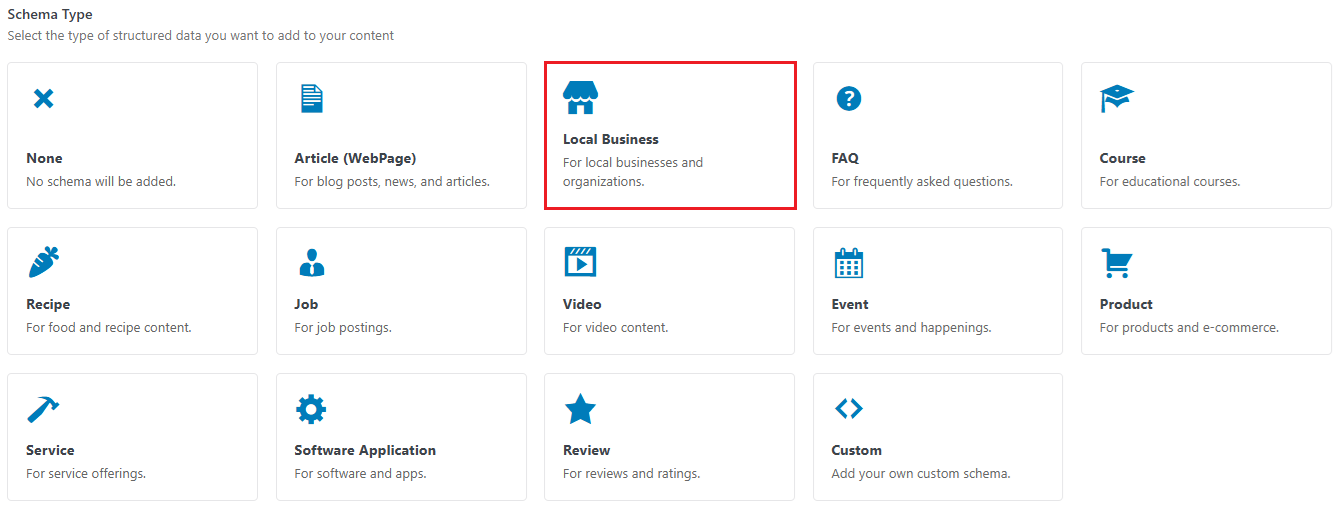
- Select your business type from the dropdown (Restaurant, Store, Service, etc.).
- Add opening hours for each day.
Technical foundations for local success
Beyond content and profiles, your technical setup determines whether Google can properly understand and rank your local pages. These foundations might not be glamorous, but they’re the difference between showing up in the local pack and being invisible.
Embed maps without killing your page speed
The problem is that interactive Google Maps embeds can add 500KB+ to your page weight and tank your Core Web Vitals scores. Since page speed directly impacts local rankings, you need smarter solutions:
Best practice: static map with directions link
- Use a screenshot or a static map API image.
- Make it clickable, linking to Google Maps directions.
- Ensure it loads instantly with zero JavaScript overhead.
Good practice: lazy-loaded interactive maps
- Use loading=”lazy” attribute on your iframe.
- Make sure the map only loads when users scroll near it.
- Preserve interactivity without hurting initial load.
Get reviews and citations that move the needle
Google’s local algorithm weighs three factors: relevance, distance, and prominence, and that’s where reviews and citations are important.
Review strategies that work
- Quality beats quantity: Ten detailed, recent reviews outrank fifty generic ones.
- Use your GBP “Share review form” link: Send this unique URL to happy customers via email or SMS.
- Respond to every review: Good or bad, responses show you’re engaged and boost your visibility.
Smart citation building
Citations are any mention of your NAP across the web
- Target authority over volume: One citation from your local Chamber of Commerce beats ten from generic directories.
- Focus on category-relevant sites (restaurant directories for restaurants, home service directories for contractors).
Quick wins for voice and AI search
Voice searches are inherently local and conversational. “Hey Google, where’s the nearest florist open now?” Optimize for these natural queries:
- Add FAQ sections using conversational language: “What time do you close?” not “Business hours inquiry”.
- Maintain 100% consistency between GBP, schema, and website content, as mismatches confuse AI assistants.
- Write naturally: Answer questions the way you’d speak to a customer in your store.
These technical elements work together to send strong local signals to Google while keeping your site fast and user-friendly.
How to track what really matters
Forget vanity metrics. Local SEO success isn’t about impressions, but rather about calls, directions, and bookings. Here’s how to track what actually drives revenue:
Set up conversion tracking
In Google Analytics or Matomo, create these essential key events/goal conversions:
- Click-to-call tracking: Add event tracking to all tel: links on your site.
- Directions clicks: Track when users click “Get Directions” buttons.
- Form submissions: Monitor contact and booking form completions
Both GTM and MTM require a one-time installation on your site. Once installed, all future tracking changes happen in their interfaces.
For GA4: To track key user actions like phone link clicks, directions clicks, and form submissions, it’s best to use Google Tag Manager (GTM) with GA4. Once configured, GTM automatically sends this data to GA4, where you can mark these events as conversions for better reporting.
For Matomo: Similarly, Matomo Tag Manager (MTM) lets you create triggers to capture these same interactions. Set up triggers for each action type, then configure them as goals in Matomo to measure conversions and track engagement.
Monitor your GBP insights
Your Google Business Profile provides a goldmine of data:
- Direct searches (people who knew your business name).
- Discovery searches (people who found you through category searches).
- Customer actions, including calls, direction requests, website visits.
Check these weekly, not daily – local SEO moves slowly.
Track Local Pack rankings
Use a rank tracker to monitor your Local Pack positions for key terms, but check monthly rather than obsessing daily. Focus on trends, not fluctuations. What matters is steady progress toward that coveted three-pack placement.
Your next three moves for local SEO success
Feeling overwhelmed? Don’t be. While your competitors debate plugins and chase hacks, you’ll be building real local visibility with these three strategic moves:
1. Now: verify and complete your GBP profile
Stop everything else and claim your Google Business Profile. If it’s already claimed, audit it for completeness. This single action can put you ahead of many of your competitors who have incomplete or unverified listings.
2. This week: perform your NAP audit
Set aside two hours to ensure your Name, Address, and Phone number match exactly across the web. Start with your GBP as the master version, then check Yelp, Facebook, and Apple Maps. Fix any variations immediately.
3. Next: write one stellar location page
Choose your most important location or service area. Spend time crafting a genuinely helpful page with local insights, photos, and customer stories. This single page becomes your template for excellence.
Within 4-6 weeks, you’ll start to see early movement in local rankings. By 3-6 months, a solid presence in the local pack should begin to take shape. The key is steady, consistent effort – local SEO rewards persistence more than intensity.
Ready to implement schema markup and advanced local features without touching code? SEOPress PRO handles the technical complexity while you focus on growing your business.
Download our Local SEO guide for advanced strategies and multi-location tactics.